Preview, Export & Collaboration
Updated
Once your design and development are complete, your application code is instantly available for export. Sketchflow.ai lets you export projects in multiple formats while collaborating seamlessly through comments and annotations.
1. Preview & Run Your App
After reviewing the generated app code, Sketchflow also enables you to run your app directly on the platform. You can instantly preview your project in the already deployed state, through the cloud-hosted simulator.
You can also copy the project's share link and send it to your collaborators or clients. They can view it through a clickable preview page and provide real-time feedback, helping accelerate product iteration.
For Web Projects
-
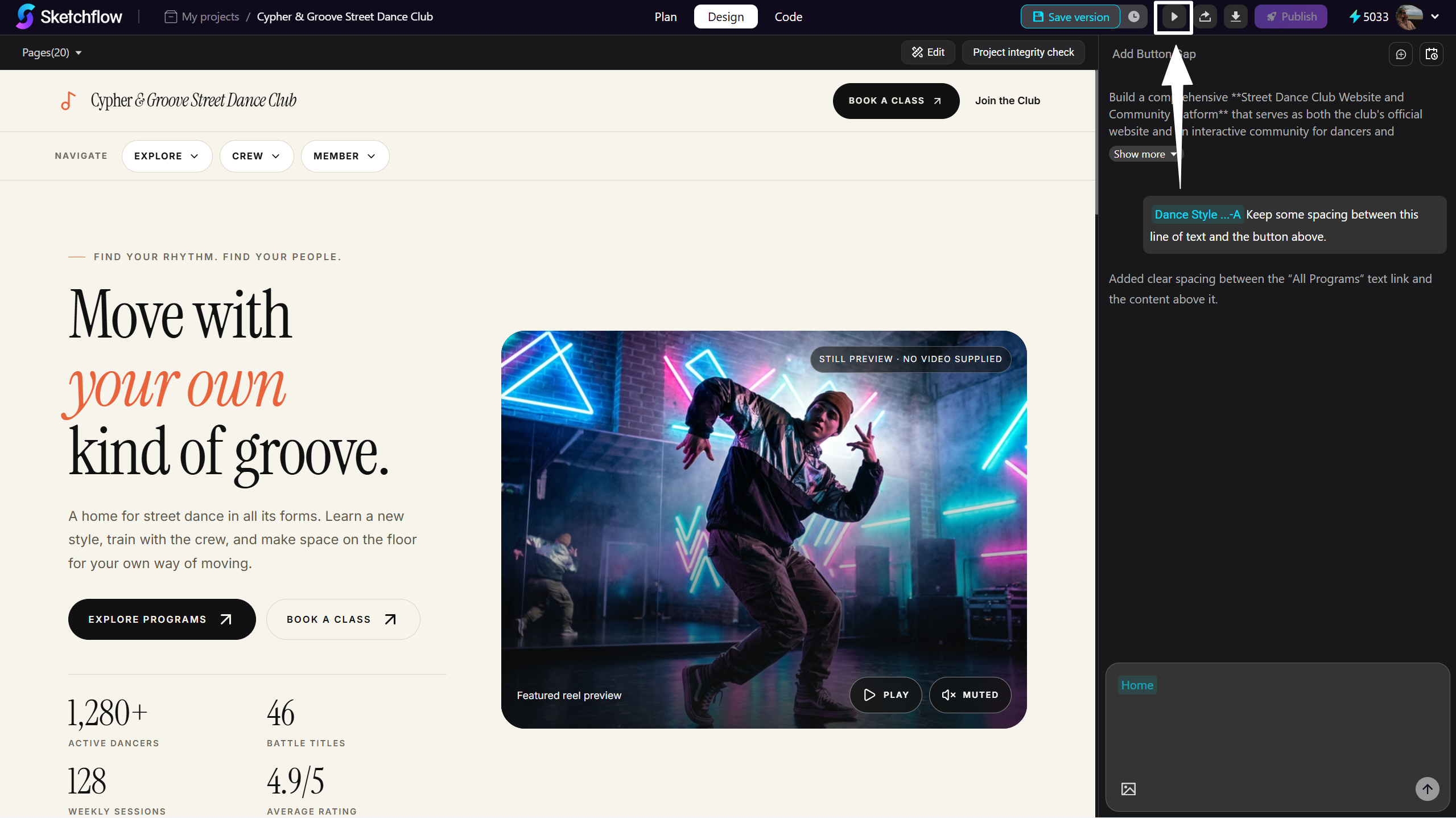
Click the [Play] icon to preview your project in Preview Mode.
-
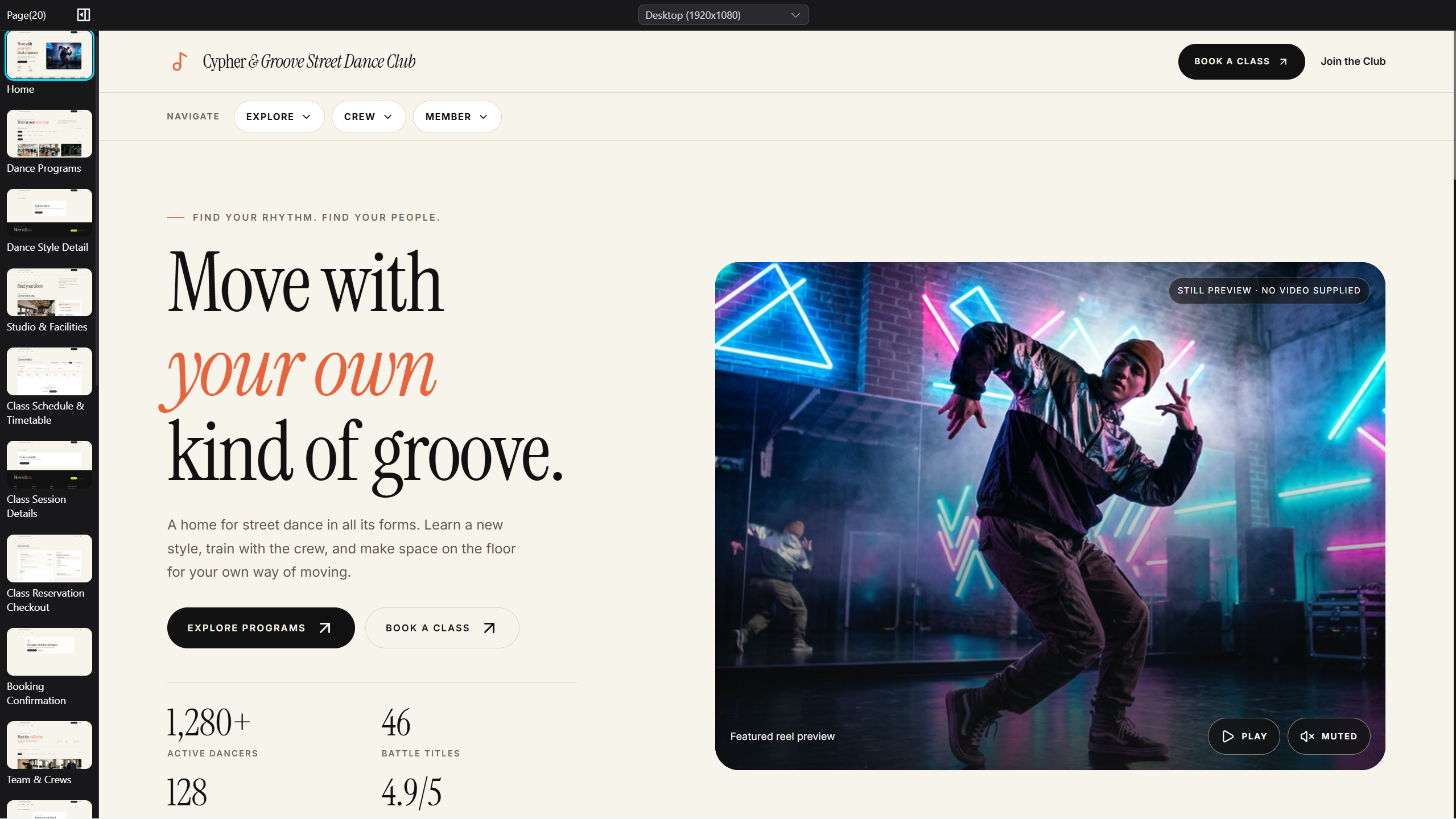
You'll be redirected to simulated environment that demonstrate the published version of your project. Utilize this environment to perform full end-to-end testing—navigate through pages, verify interactions, layouts, and performance.
Preview Your Web App Across Responsive Layouts
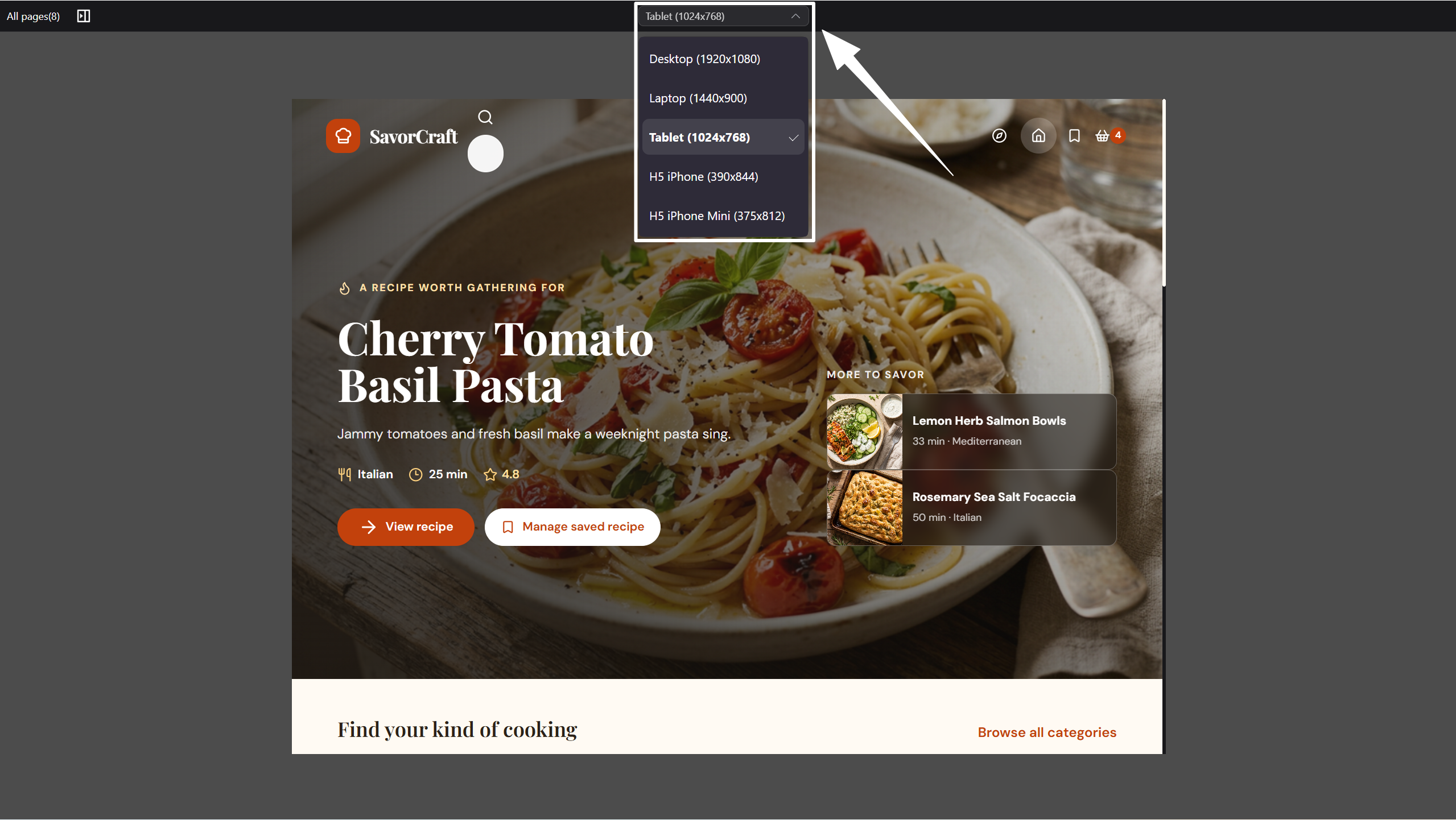
Click the dropdown menu at the top center of the screen, here you can preview your web app across different device viewport sizes and instantly see how the responsive layout adapts on desktop, tablet, and mobile screens.
Preview Your Mobile App in Emulator
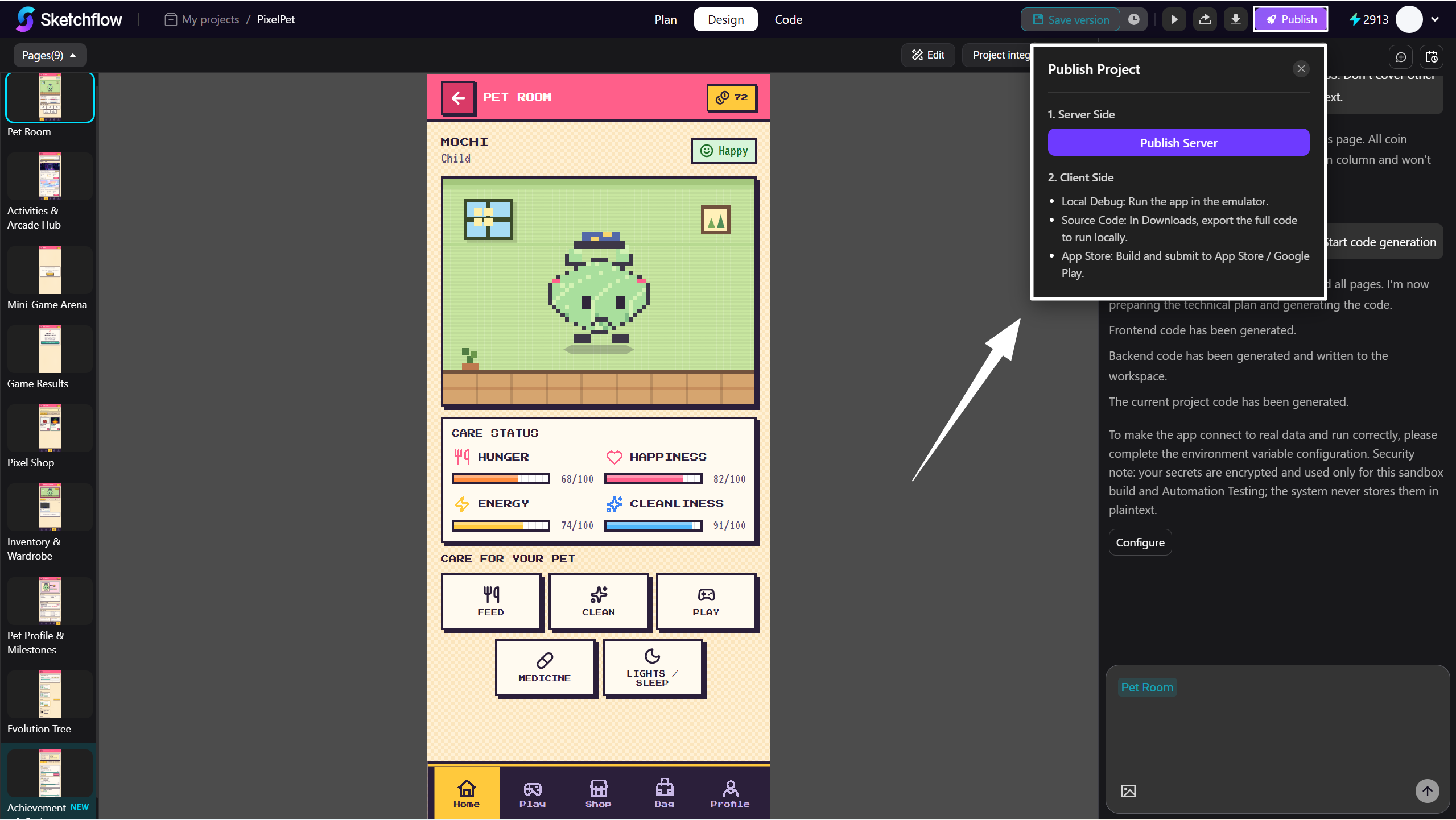
Only when you finished publishing server side of your mobile app in Sketchflow, the mobile emulator is allowed to run.
- Click [Publish Server] and wait for the publishing finished.
- When finished, click the [iOS] or [Android] button to run virtually on an emulator.
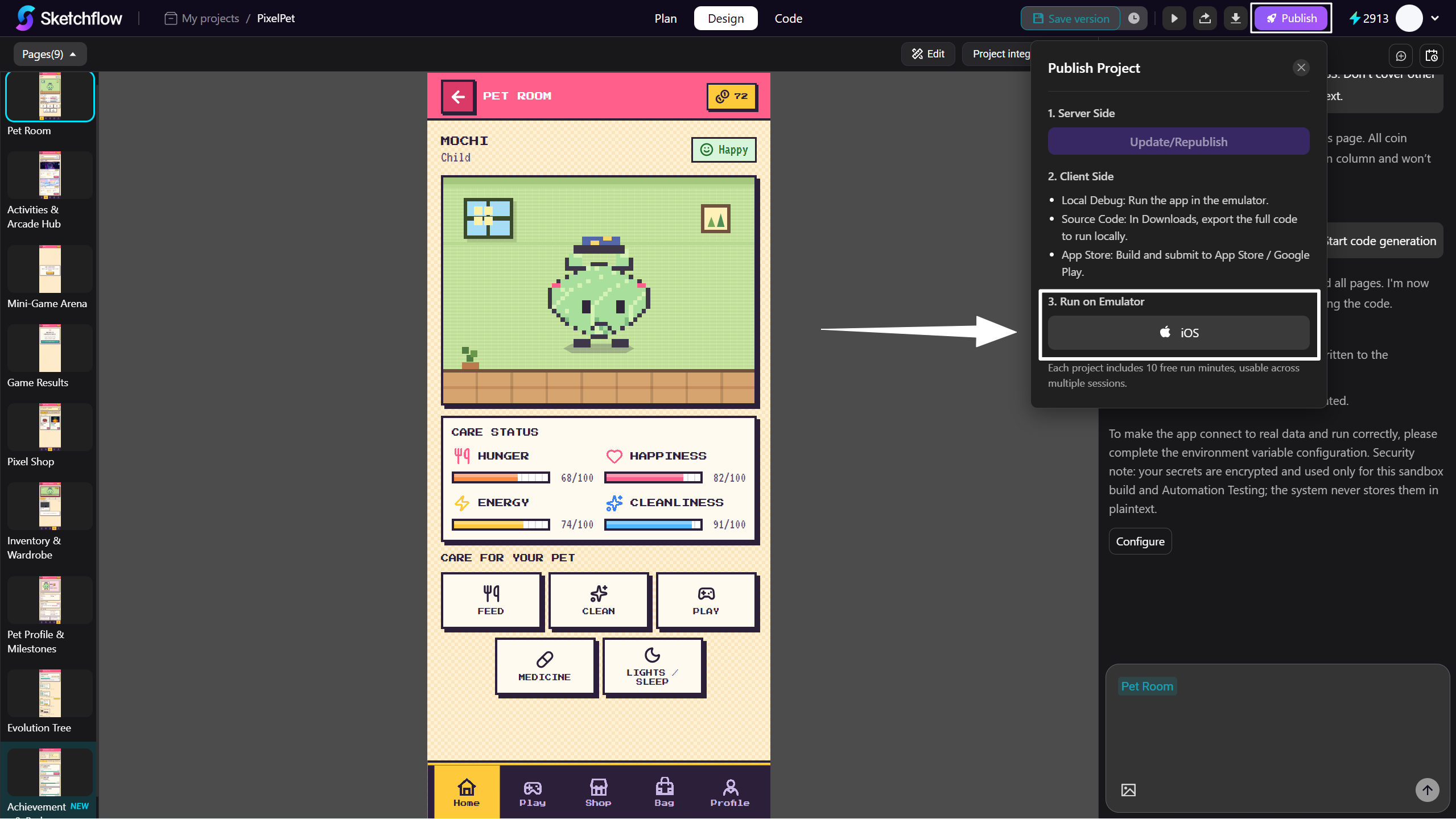
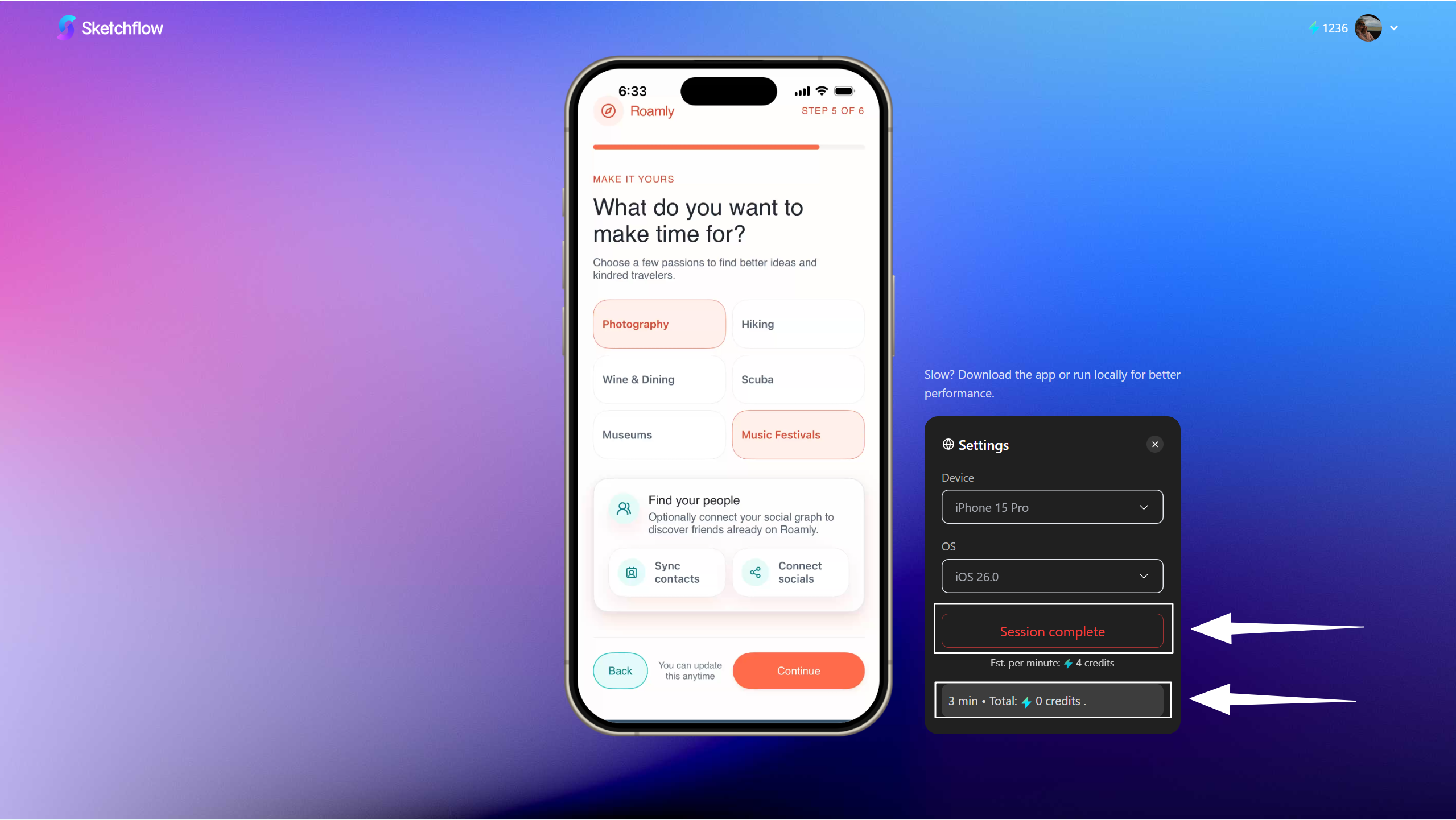
- You can select the Running Device and Operating System version here, to achieve the most realistic operating environment.
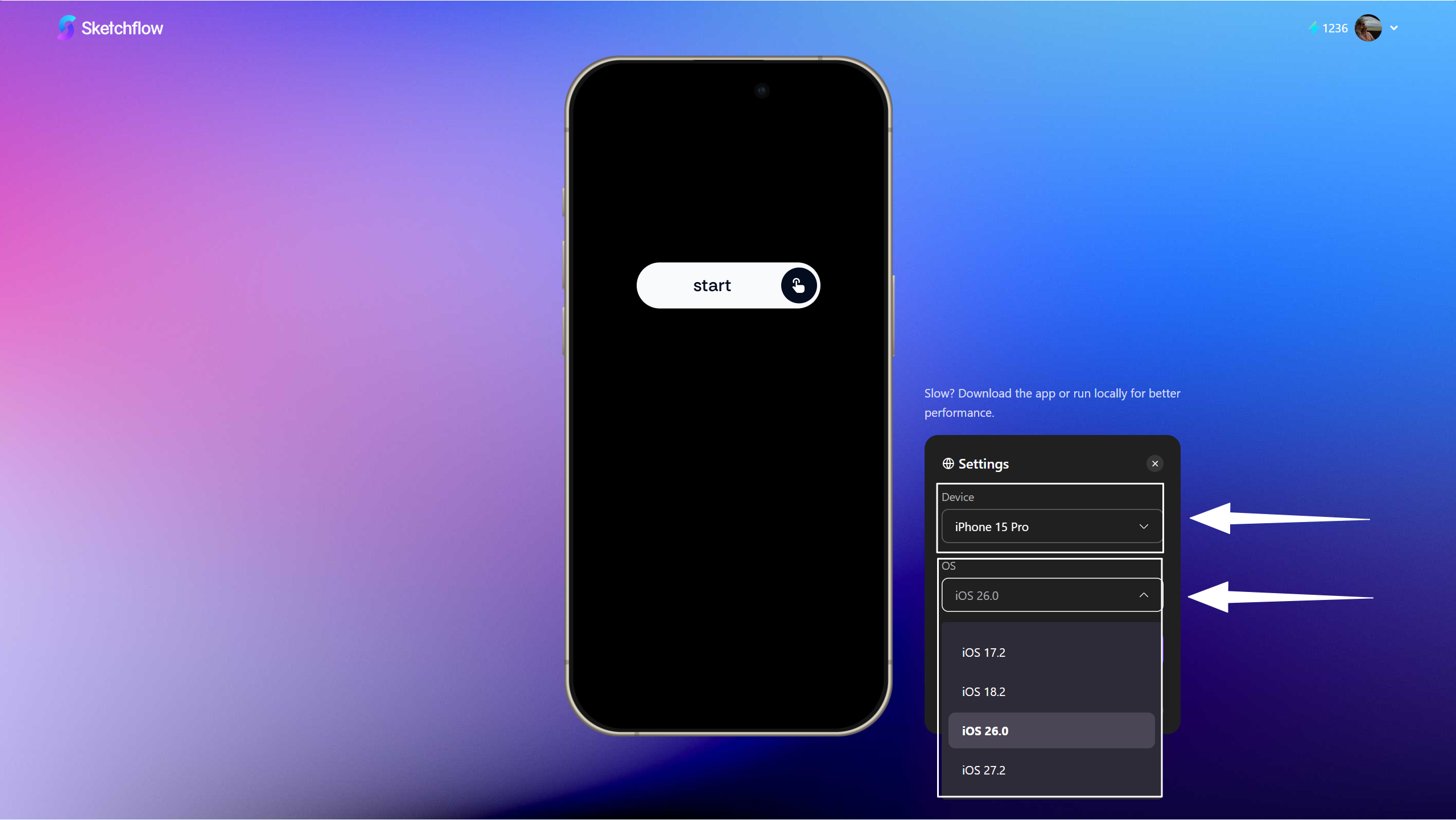
- After confirming the Settings, click Tap to Start on the phone screen to run your mobile app.
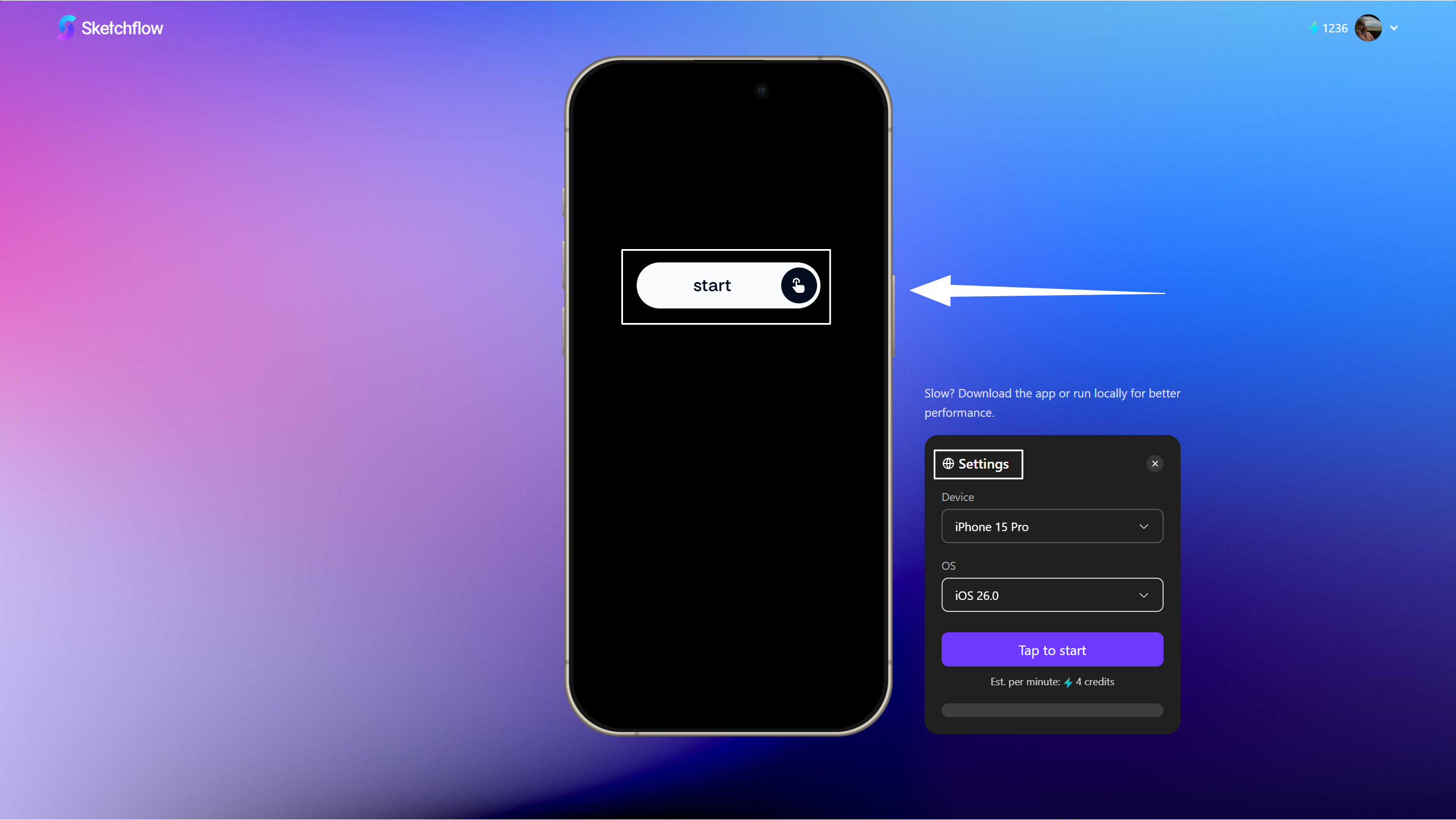
- When the app is running, you can't switch the device and operating system.
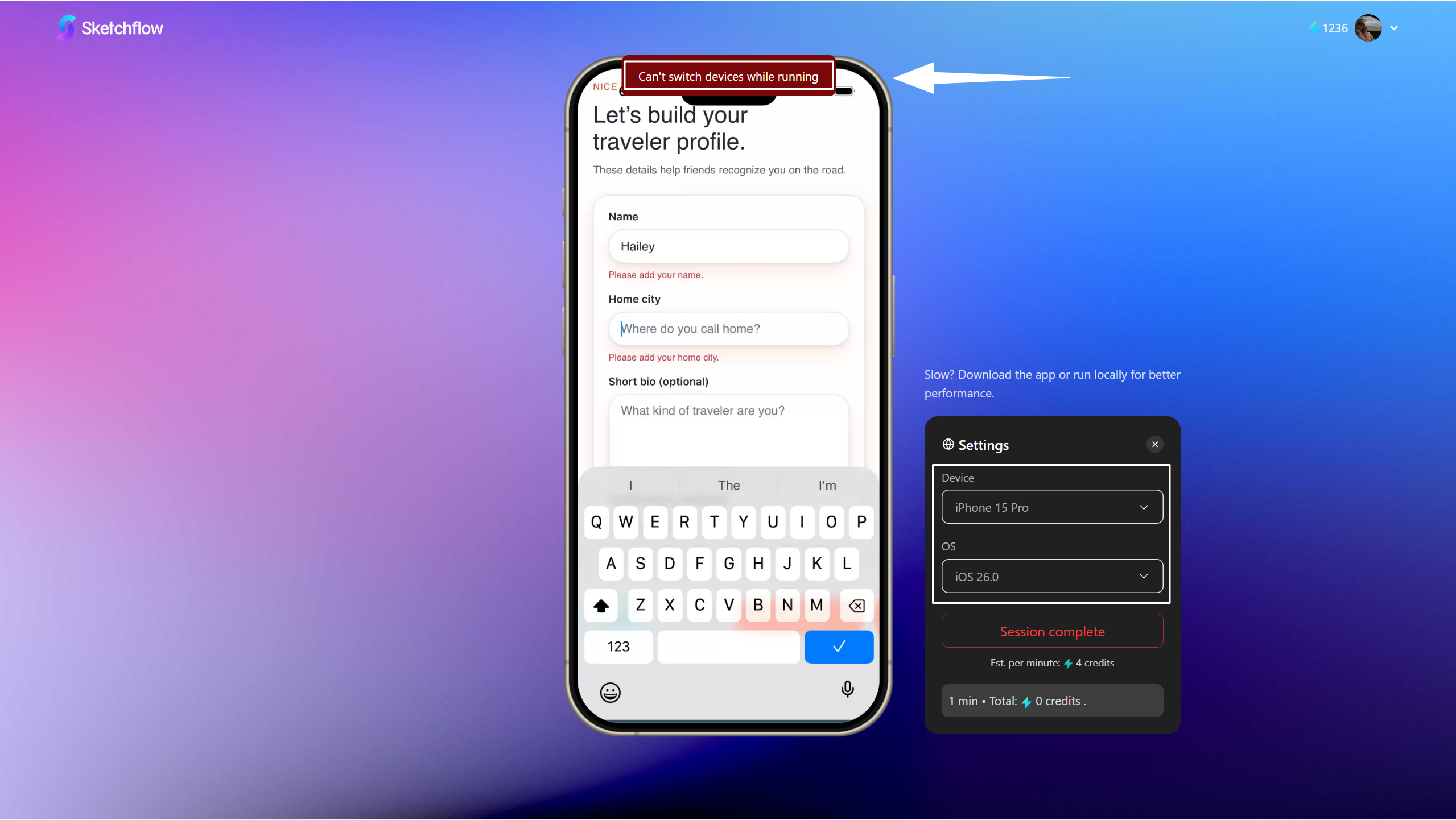
- Click [Session complete] to stop the emulation session, you can view how long it has been running and total credits used at the bottom status bar. Sketchflow provides free emulation lasts for 10 mins in one project, so the credits calculation starts after that.
Tips: The Android application download package included an APK. Download the APK and install it directly on your Android device.
2. Export in Multiple Formats
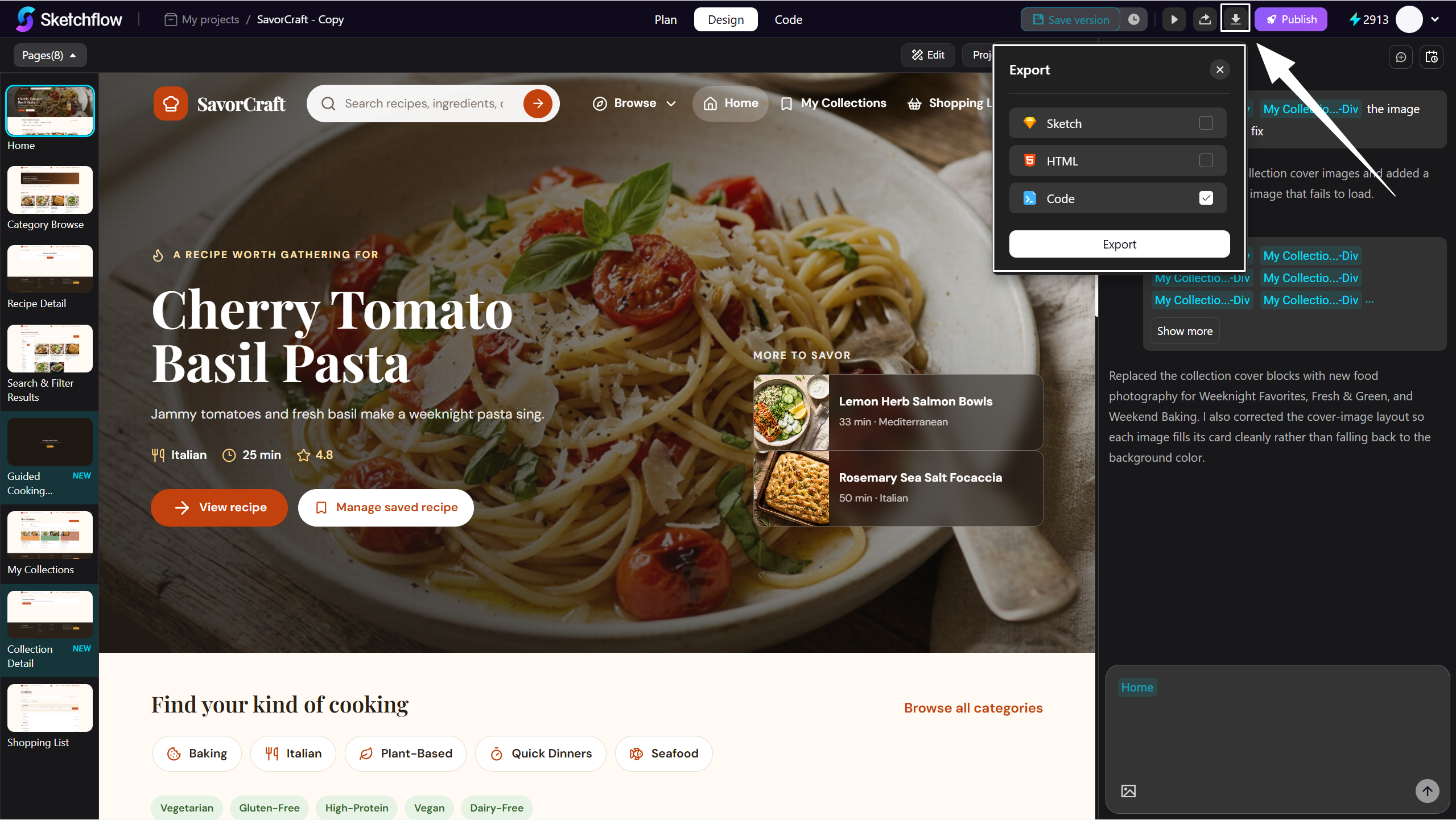
If you're satisfied with the preview, click [Export] to download your project in multiple formats.
-
Sketch, HTML, Vue.js/React for Web App.
-
Sketch, HTML, Kotlin, iOS (Swift)/Android (Kotlin) for Mobile/Tablet App.
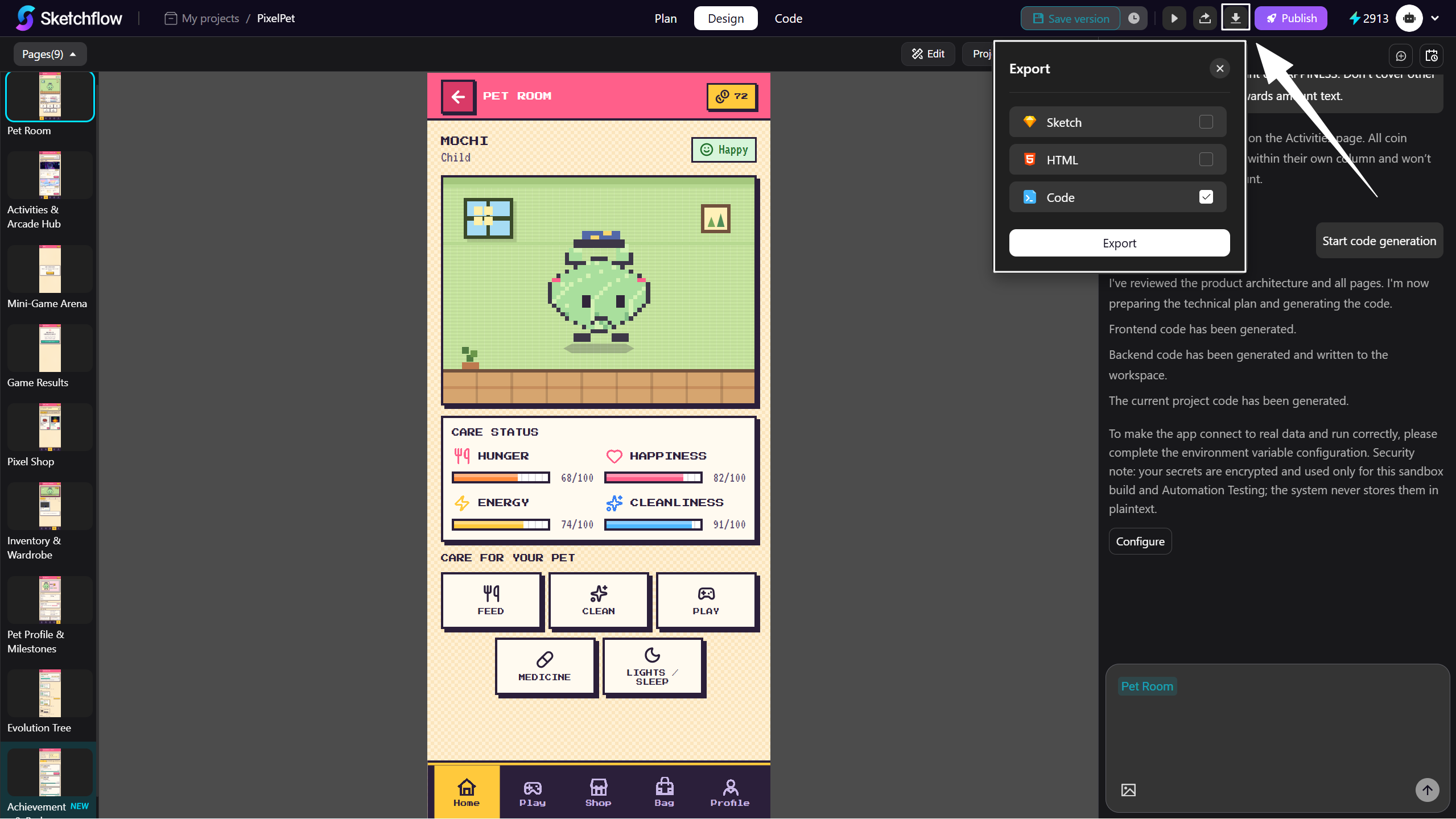
The selected backend framework (NestJS/Spring) will be included in the downloaded ZIP file.
You will have full ownership of the full-stack codebase.
Tips
- Our native frontend Code offers unbeatable advantages over other cross-platform alternatives. It guarantees superior performance and a seamless, smoother user experience that truly matches each platform's features and behaviors. Furthermore, Native Frontend Code ensures higher stability and full access to device capabilities, giving you a competitive edge and future-proofing your apps.
Sketchflow.ai eliminates the time-consuming process of intermediate conversion conversions by generating and exporting a complete full-stack codebase directly from a single prompt. Once exported, you can freely customize, modify, and extend your application code to fit your needs, with full control over your code and deployment.